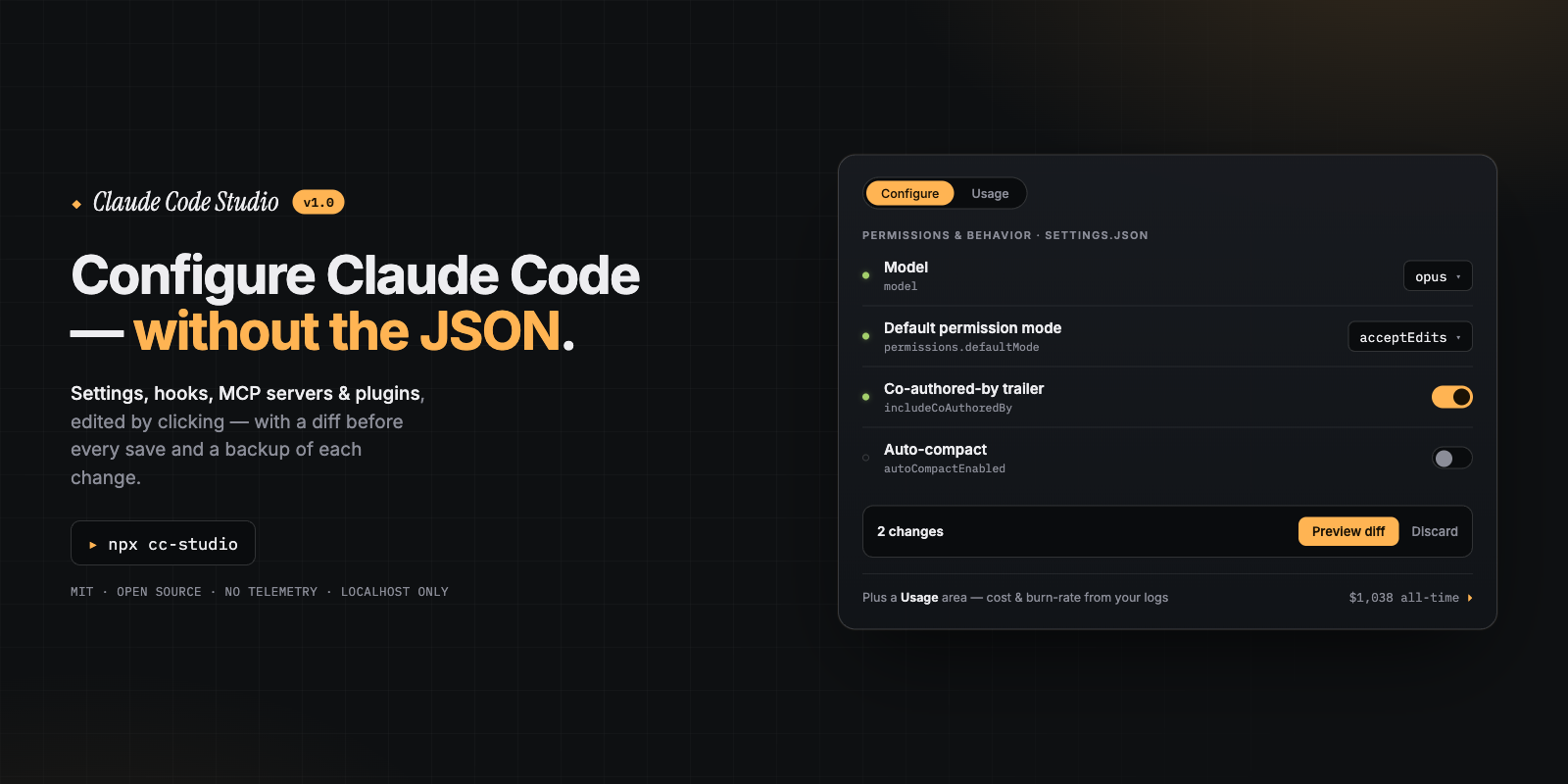
A local, no-telemetry GUI for managing your Claude Code setup —
settings, permissions, MCP servers, plugins, hooks, agents, skills, and CLAUDE.md — without hand-editing JSON.



npx cc-studio
One command starts a localhost-only server and opens the GUI in your browser.
Nothing to install, configure, or sign into.
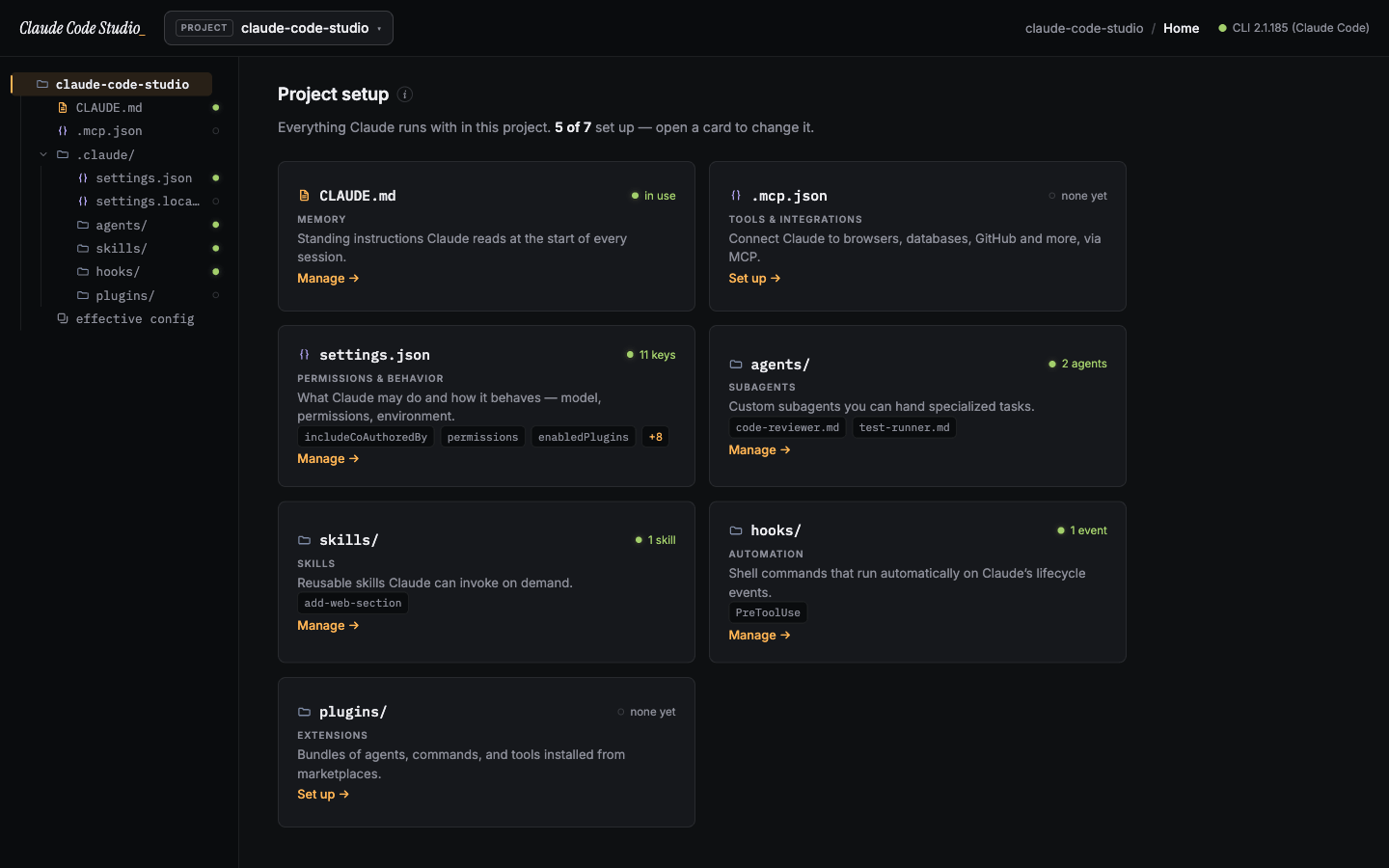
Claude Code is configured through a scatter of JSON files across ~/.claude/ and each project — settings.json, .mcp.json, settings.local.json, managed policy, plus plugins, hooks, agents, skills, and CLAUDE.md memory. Knowing what's set, where it comes from, and how to change it safely means memorizing precedence rules and editing JSON by hand.
Claude Code Studio is a friendly front end over all of it. It reads and writes the same files the claude CLI uses, shows you a diff before every change, backs up every file it touches, and explains each concept in plain language — so you can use Claude Code to its full potential even if you've never read the docs.
- The
.claude/tree, as your navigation — the sidebar mirrors your real config directory (CLAUDE.md,.mcp.json,settings.json,agents/,skills/,hooks/,plugins/), with a status dot on everything that's set up. Click a file, edit it. - Scope-aware workspaces — switch between Global (everything, aggregated), User (your machine-wide
~/.claudeconfig), and any Project (its project + local config). Every screen filters to the scope you're in, so you always know where a change lands. - Dashboard — a per-workspace overview of what Claude is set up with, what's missing, and quick links to fix the gaps. Detects the
claudeCLI and flags config-file problems. - A real editor — CLAUDE.md, agents, skills, keybindings, and every JSON config open in a CodeMirror editor with syntax highlighting, line numbers, and code folding.
- Permissions & behavior — edit any setting by dotted path (
model,env.FOO, permission rules) with a color diff preview before anything is written. Conflicts are detected, never silently overwritten. - Effective config — the merged result of every settings file, each value badged with the scope it comes from; click a value to jump straight to editing it at its source.
- Tools & integrations (MCP) — list, add, and remove MCP servers across user/local/project scopes, with a searchable catalog of popular servers and live connection health (connected / failed).
- Extensions (plugins) — browse and install real plugins from your marketplaces with a searchable picker, enable/disable/uninstall, expand any plugin for full details, and manage marketplaces.
- Automation (hooks) — browse every lifecycle hook event with plain-English descriptions, see each hook's config, and jump to editing it.
- History & backups — every write is snapshotted first; restore any earlier version with one click.
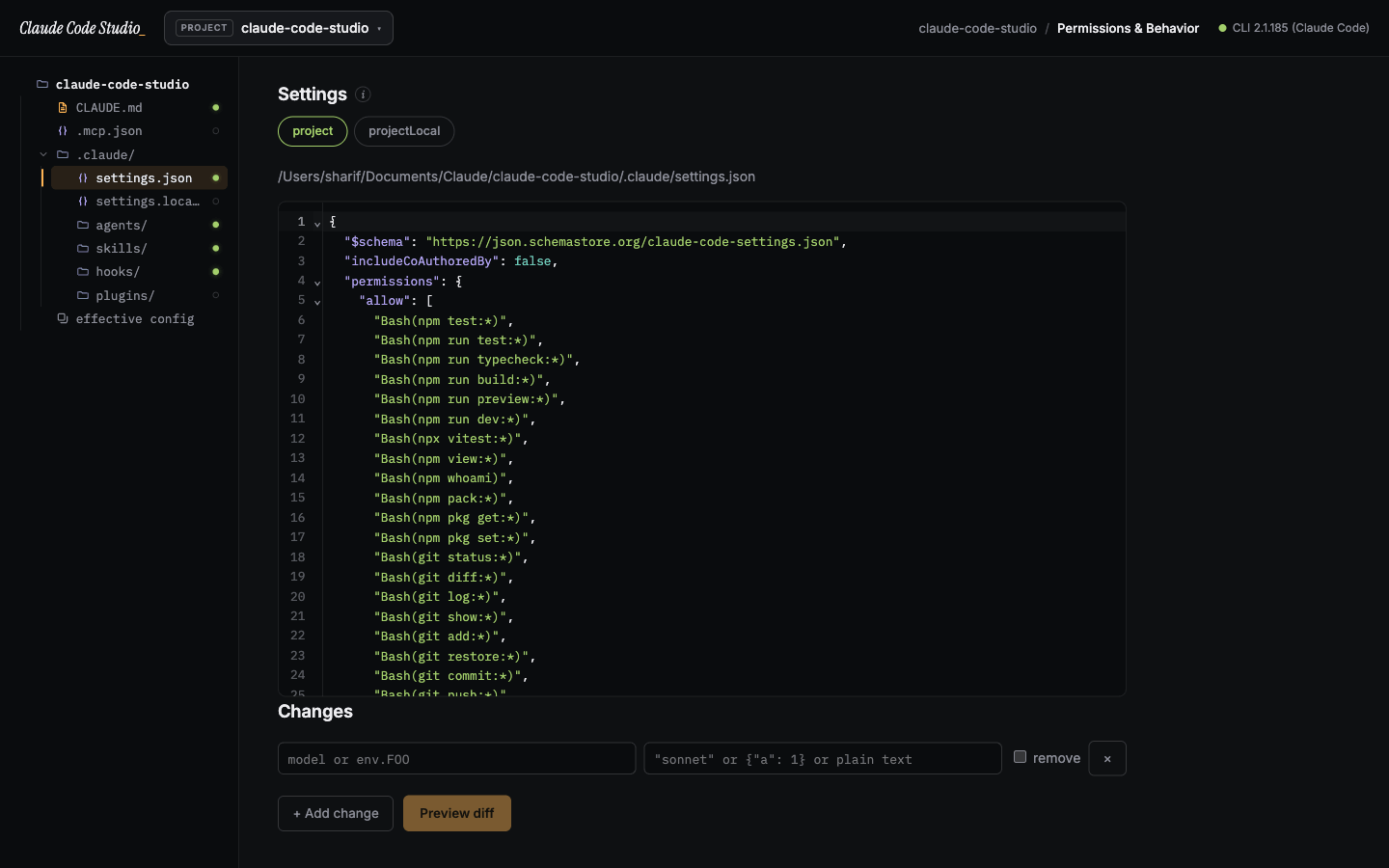
Edit settings with a diff. Every JSON config renders with syntax highlighting and folding; changes preview as a color diff before they're written. |
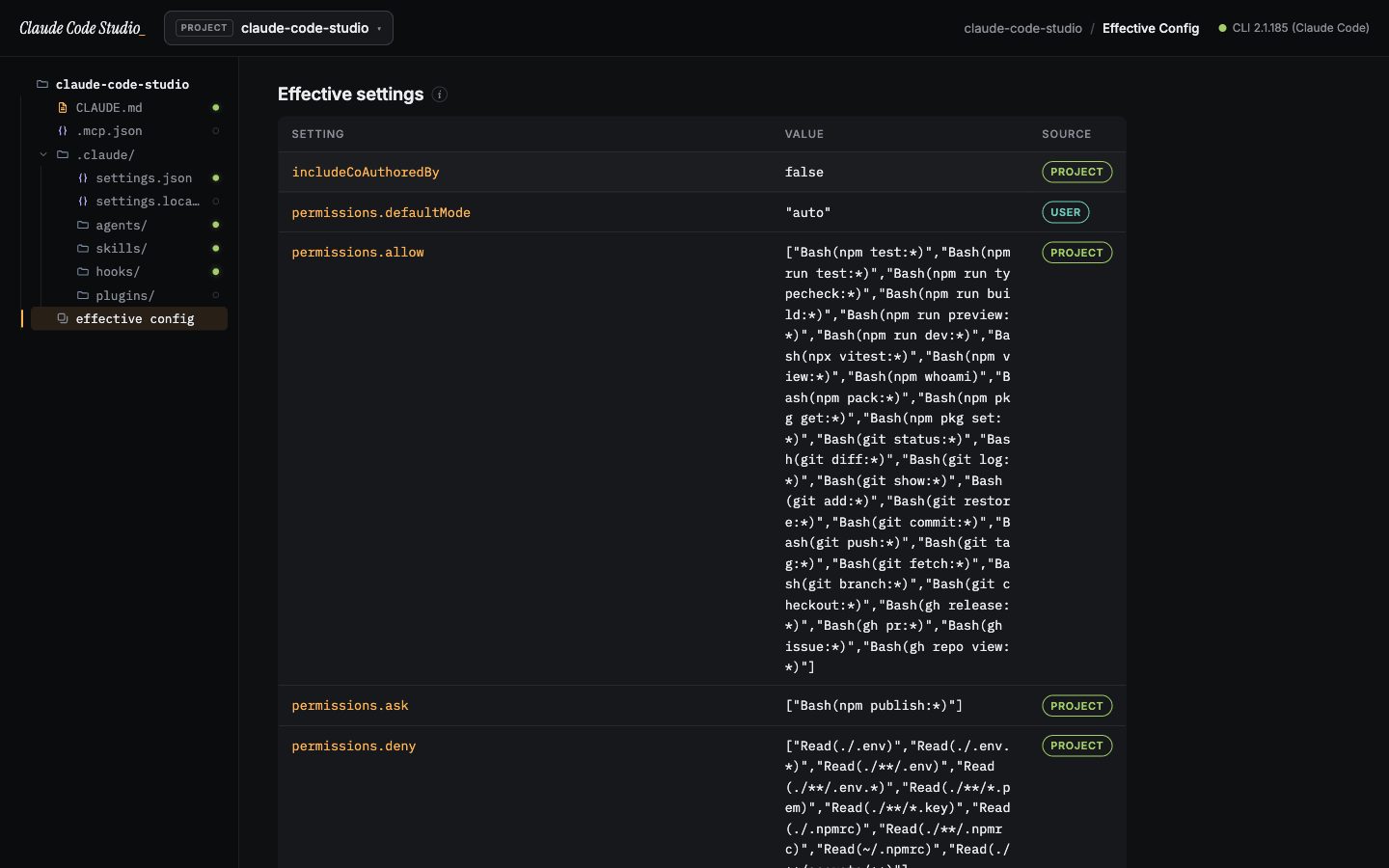
See the effective config. Every merged value, badged with the scope it comes from — click one to edit it at its source. |
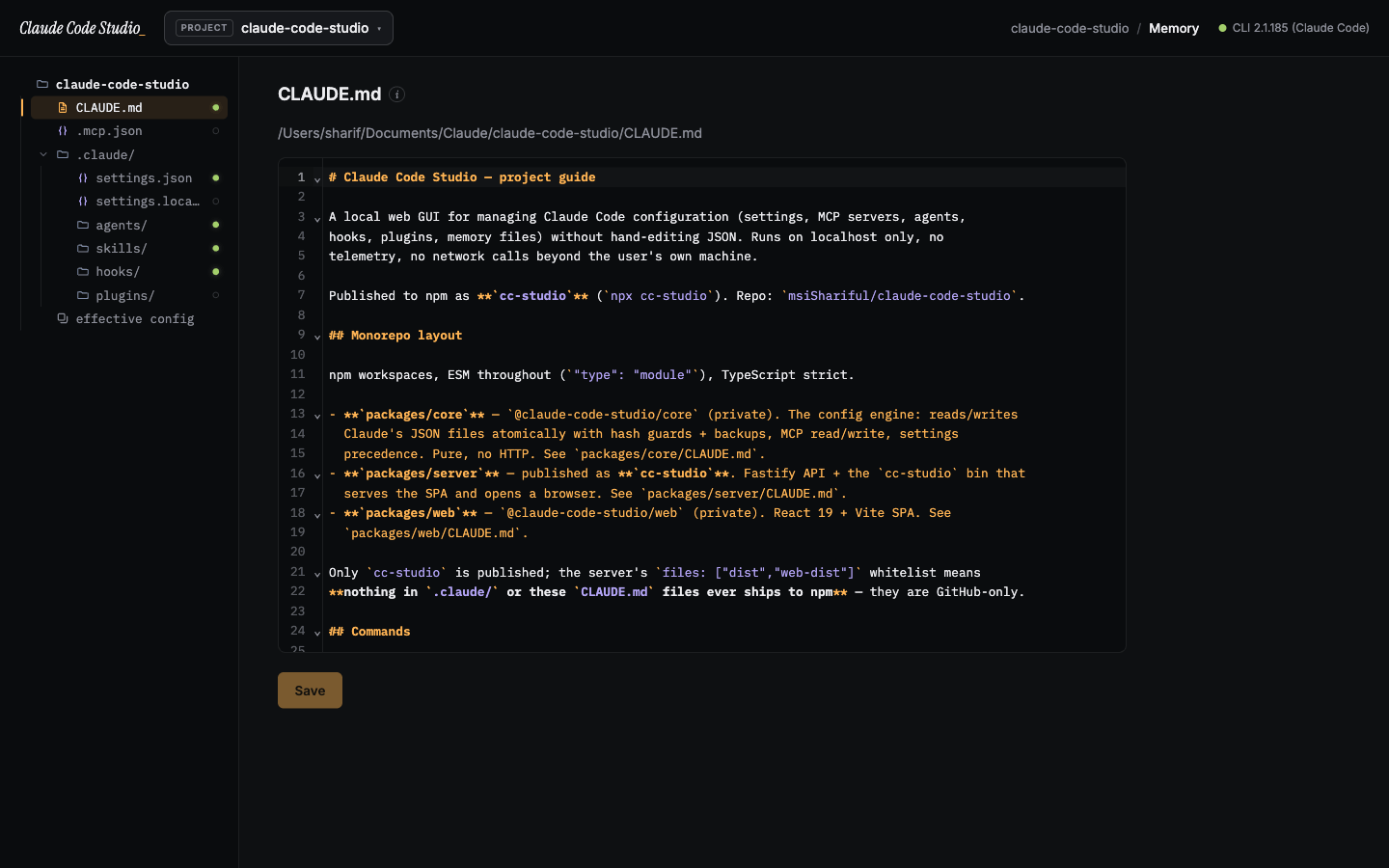
Write memory and agents. CLAUDE.md, agents, and skills open in a real Markdown editor with highlighting and line numbers. |
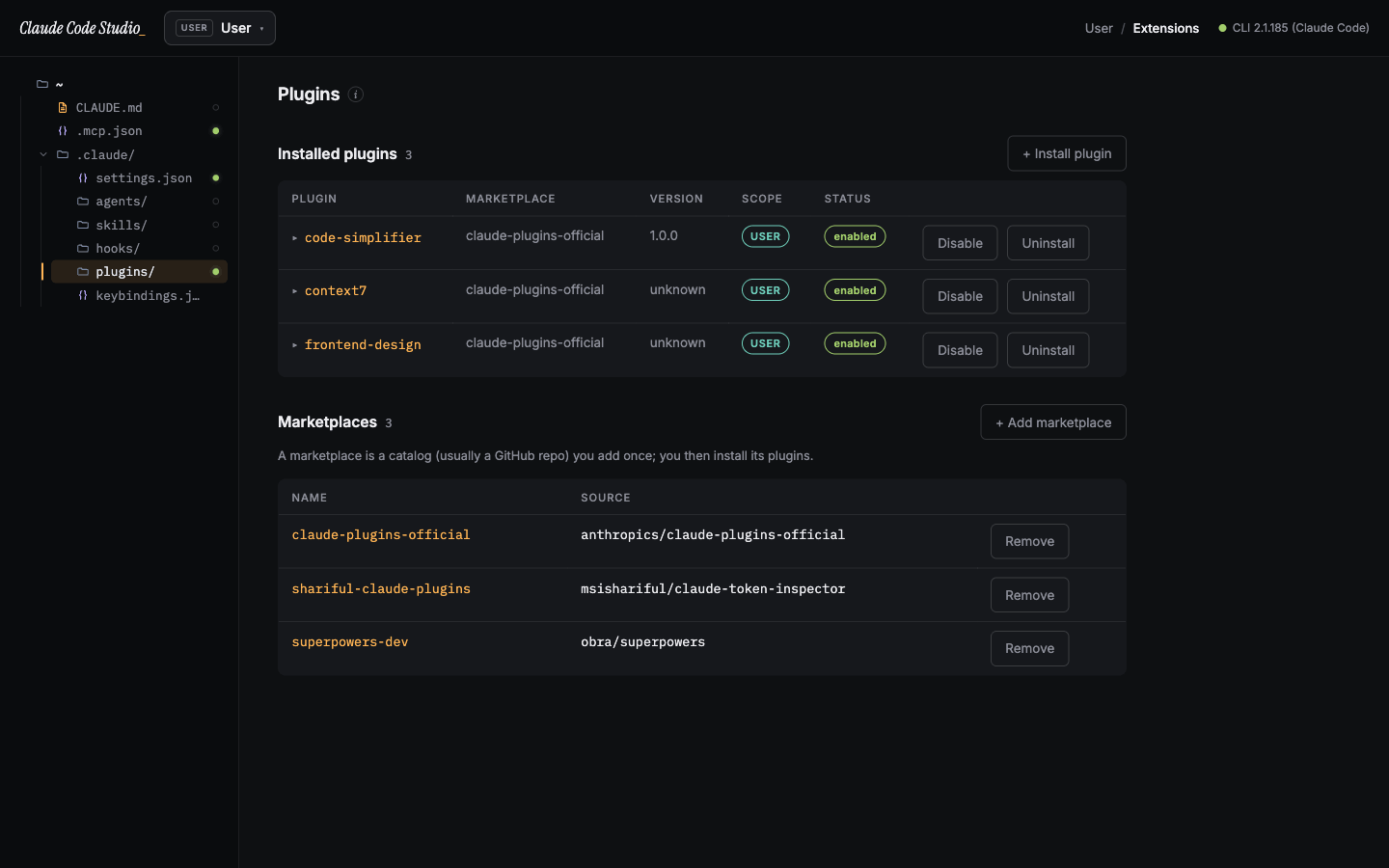
Install plugins from marketplaces. Browse, install, enable/disable, and manage the marketplaces they come from. |
Claude Code Studio is built to be safe to run against your real configuration:
- Local only. The server binds to
127.0.0.1on a random port. Nothing is exposed to your network or the internet. - No telemetry, no accounts, no cloud. It never phones home. The only network calls are the ones you trigger (e.g. the
claudeCLI cloning a marketplace). - Per-session token. Every API call requires a token delivered through the launch URL fragment; cross-origin and mismatched-Host requests are rejected.
- Scoped file access. The API reads and writes a fixed set of Claude config files — not arbitrary paths — so it can't be aimed at unrelated secrets on disk.
- Safe writes. Changes prefer the
claudeCLI where it exists (claude mcp …,claude plugin …) and otherwise fall back to atomic, hash-guarded file edits — always backing up the previous version first.
See SECURITY.md for the full model and how to report a vulnerability.
- Node.js ≥ 18
- The
claudeCLI is optional but recommended — Studio drives it for MCP and plugin actions and to probe connection health. Without it, those views degrade gracefully and writes fall back to safe file edits.
┌────────────┐   localhost + token    ┌──────────────────────┐
│  Browser   │ ◀────────────────────▶ │  cc-studio (Fastify) │
│  React SPA │   /#token=…            │  127.0.0.1:<random>  │
└────────────┘                        └──────────┬───────────┘
                                                 │ reads/writes the same files
                                                 │ the claude CLI uses
                                      ~/.claude/ · project/.claude/ · .mcp.json
npx cc-studio mints a session token, starts the server on a random local port, prints (and opens) a …/#token=… URL, and serves the prebuilt UI. The UI talks only to that local server; the server talks only to your local config files and the claude CLI.
The repo is an npm-workspaces monorepo (packages/core, packages/server, packages/web), TypeScript throughout, developed test-first.
git clone https://github.com/msiShariful/claude-code-studio
cd claude-code-studio
npm install

npm test           # full suite across core, server, and web
npm run typecheck  # strict type-check all packages
npm run build      # build all three packages
npm run preview    # build and run the app locally
Issues and pull requests are welcome — see the package-level guides in each packages/*/ directory for architecture and conventions.
- Published to npm as
cc-studio(theclaude-code-studioname was already taken); the product keeps its full name. - This is an independent, community project and is not an official Anthropic product.
MIT © msiShariful